Build Your Own OpenClaw AI Agent System
How to plan, build, and run a personal AI agent system using OpenClaw — including hardware setup, agent architecture, channel design, and the SOUL.md personality file, overnight task automation, and the delegation mindset shift that makes it all work.
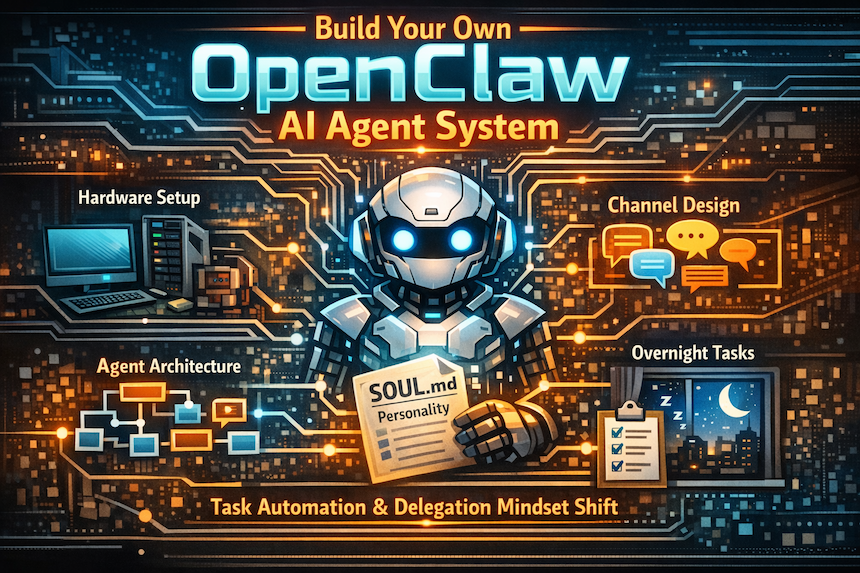
A Step-by-Step Practitioner's Guide for Business Leaders, Consultants and Solopreneurs
Section 1: Understand What You Are Building
Before buying hardware or installing software, get clear on the model. An OpenClaw-based agent system is not a chatbot. It is a persistent, self-hosted AI operating environment that runs 24/7, executes multi-step tasks in parallel, and learns your working patterns over time.
The Core Architecture
The system has three layers:
- A master orchestrator agent that you talk to directly. It receives your instructions and decides which sub-agents to spin up.
- Specialist sub-agents, a specialist who gets a specific task, a context window, and a set of tools. They work in parallel.
- Memory and integration layer, a long-term vector store memory, connected apps (calendar, CRM, email, GitHub), and a SOUL.md personality file that shapes behaviour across all sessions.
What This Is Not
- Not a single chatbot session. The agents run overnight without you.
- Not a cloud SaaS tool. Your data stays on your hardware, except for what you explicitly push to cloud stores.
- Not magic. It takes 2 to 4 weeks of correction and iteration before the system knows you well enough to be genuinely useful.
Section 2: Choose Your Hardware
OpenClaw runs on any machine with enough RAM to hold the model context and run parallel agents. You do not need a GPU. CPU inference with a fast local or cloud model API is the practical path for most setups.
Recommended Hardware Options
Connectivity Requirements
- Wired Ethernet is preferred over WiFi, especially if you want to run agents making overnight API calls, as they need a stable connection.
- A 100 Mbps or faster internet connection is sufficient. The bottleneck is API latency, not bandwidth.
- Place the machine behind a firewall. The agent will have API keys and CRM access. Treat it accordingly.
Section 3: Install and Configure OpenClaw
OpenClaw is open source and self-hosted. Installation is a one-time process. The steps below assume a Mac or Linux machine.
Step 1 — Install Prerequisites
- Install Homebrew (Mac) or your Linux package manager if not already present.
- Install Node.js version 18 or higher.
- Install Python 3.10 or higher.
- Install Docker if you plan to run isolated agent environments.
- Create an Anthropic API account at console.anthropic.com and generate an API key. Keep this key secure — treat it like a password.
Step 2 — Install OpenClaw
- Clone the OpenClaw repository from GitHub to your local machine.
- Follow the installation instructions in the README. Typically: npm install or pip install, depending on the version.
- Copy the example configuration file to config.yaml and open it in a text editor.
- Add your Anthropic API key to the configuration. If you plan to use other models (GPT, Gemini, open source), add those keys too.
- Set the default model. For most tasks, Claude Sonnet is the right starting point as it is fully capable and cost-effective. Switch to Opus for complex reasoning tasks. Use Haiku for fast, cheap classification or routing tasks.
Step 3 — Connect Your First Integration
Start with one integration only. Adding everything at once makes debugging impossible.
- Choose Telegram or WhatsApp as your primary communication channel.
- Follow OpenClaw's integration documentation for that specific channel.
- Send a test message. Confirm the agent responds before proceeding.
Section 4: Design Your Agent Architecture
A single general-purpose agent is the right starting point. Resist the temptation to build eight specialised agents on day one. Complexity compounds faster than capability. Start simple. Expand based on the actual friction you experience.
Once the general agent is working, the most effective architecture is separate communication channels for separate domains of work. Each channel gives the agent a bounded context — it knows what kind of work happens here, what files are relevant, and what your priorities are in that domain.
What Goes in Each Channel
For each channel, you need to specify three things when setting it up:
- What data sources does it have access to — files, APIs, databases, and repos?
- What recurring tasks should it run automatically and on what schedule?
- What is its escalation rule — when should it interrupt you versus handle silently?
Section 5: Write Your SOUL.md File
The SOUL.md file is a plain text document that OpenClaw reads at the start of every session. It shapes how the agent interprets your instructions, what it prioritises, and how it communicates with you. Think of it as a persistent briefing document for a new team member — except it works.
What to Include
- Your communication preferences — do you want concise summaries or detailed reports? Do you prefer bullet points or prose?
- Your working style — are you a morning person? Do you want the overnight brief at 6 AM or 8 AM?
- Your professional context — your role, your current projects, your key relationships, your priorities this quarter.
- Error handling preferences — should the agent fix small problems silently, or flag everything?
- Tone and naming conventions — how should the agent refer to itself? How formal should it be?
- Your known quirks and strong preferences — file naming conventions, communication style, topics you care deeply about.
How to Build It in the Right Way
Do not write the SOUL.md file yourself on day one. You will write what you think you want, not what you actually need. The better approach is revealed preference to let the agent observe your behaviour and draft the file for you.
- Run the agent for 10 to 14 days without a SOUL.md file.
- Correct it every time it does something wrong. Be specific. "Do not use em dashes" is better than "write more simply."
- After two weeks, ask the agent to review all your corrections and extract behavioural patterns. Ask it to produce a draft SOUL.md.
- Review the draft. Add anything missing. Remove anything that does not ring true.
- Activate the file and run for another week. Continue correcting. Ask it to update the file based on new corrections.
The Big Five Personality Profile
One effective structure for the behavioural section of SOUL.md is to specify personality dimensions on a 1 to 5 scale
Section 6: Set Up Your Morning Brief
The morning brief is the daily proof that the system is working. It arrives in your chosen channel before you start your day and covers everything the agent has processed overnight. Getting this right is worth the setup time — it is the single highest-return configuration you will make.
What a Good Morning Brief Contains
- Calendar for the day with pre-meeting context for any significant meetings.
- Priority emails flagged overnight with suggested actions.
- Top research items from your reading list or research backplane, with one-sentence summaries.
- Status of all overnight tasks — which succeeded, which failed, and what needs your attention.
- One or two items flagged by the agent as worth your attention based on what it knows about your current priorities.
How to Configure It
- Set a scheduled task in OpenClaw to run the morning brief generation at a fixed time — 5:30 or 6:00 AM works well.
- Write a system prompt for the brief task. Specify the sections you want, the order, and the maximum length for each section.
- Connect it to your calendar API, email API, and research sources.
- Run it for three days. Read each brief carefully and note what is missing or irrelevant.
- Refine the system prompt based on what you find. Repeat until the brief is consistently useful.
Section 7: Configure Overnight Autonomous Tasks
Overnight tasks are the part of this system that most changes how you work. You go to sleep. Work gets done. You wake up to results, not a blank slate.
Task Categories Worth Automating
The Sub-Agent Pattern for Large Tasks
For any task that requires research, synthesis, and writing in one pass, the multi-agent pattern produces far better results than a single agent. The pattern works like this:
An Archivist agent searches your existing knowledge and past interactions for relevant material.
- The Landscape agent searches the external web for current information and recent developments.
- An Evidence agent collects specific data points, statistics, and facts that will be referenced.
- The Format agent reviews how similar outputs have performed and generates structural recommendations.
- The Synthesis agent assembles all research packages into a narrative structure.
- The Writer agent produces the final output in your voice and style.
- QA agent checks all factual claims and flags anything unverifiable.
This pattern uses more tokens than a single-agent approach but produces substantially better output. The cost difference is typically smaller than you expect as agents rarely exhaust large token budgets.
Section 8: Connect Your Tools
The agent's value scales directly with the number of data sources it can read and write. Connections should be added one at a time, with testing after each addition.
Integration Priority Order
- Calendar — gives the agent awareness of your schedule and meeting context. Foundation for pre-meeting briefs.
- Email — enables email triage, draft preparation, and follow-up tracking.
- CRM or contact management system — enables relationship context for meetings and outreach.
- Note-taking or research tool — gives the agent access to your accumulated knowledge base.
- GitHub or code repository — enables overnight code review and autonomous bug fixing.
- File storage (Dropbox, Google Drive) — gives the agent a way to receive and deliver files without a direct API.
- Meeting transcription tool — enables post-meeting CRM logging and action item extraction.
The Shared Folder Method
Not every integration requires an API. A shared Dropbox or Google Drive folder is a simple and reliable way to pass files to and from the agent. Put a document in the folder and tell the agent where it is. It picks it up, processes it, and drops the output back in the folder.
Section 9: Manage the Agent's Memory
OpenClaw agents have two types of memory: session context (what is in the current conversation window) and long-term memory (a vector store that persists across sessions). Understanding both determines how well the agent knows you over time.
Session Context
- Each channel maintains its own context window — typically 200,000 to one million tokens, depending on your model and configuration.
- Within a channel, the agent remembers everything in the current session. When the session ends, or resets, that memory is gone unless it has been written to long-term storage.
- Long-running tasks should periodically write summaries to long-term memory to avoid losing progress on a session reset.
Long-Term Vector Memory
- This is a database of embeddings — compressed representations of your past interactions, preferences, and corrections.
- The agent searches this store at the start of relevant tasks to retrieve context that is not in the current session.
- A cloud-hosted vector store (Pinecone, Weaviate, or similar) is the practical choice — it persists even if your hardware restarts and is accessible from any sub-agent.
- Review what is stored in long-term memory every two to four weeks. Remove outdated priorities or stale project context.
Section 10: Run Your First Week
The first week is calibration. Do not expect the agent to be useful on day one. Expect it to be wrong often and correct it every time. This is the work.
Day 1 to 2: Baseline
- Confirm the morning brief arrives and contains your calendar.
- Send five simple tasks through your main channel. Observe how it handles them.
- Document every error or irritating output. Be specific about what was wrong and what you wanted instead.
Day 3 to 5: First Integrations
- Connect your calendar. Confirm the agent references it in the morning brief.
- Connect your email. Ask it to summarise the last three days of the inbox and flag priority items.
- Set up one overnight recurring task. Keep it low-stakes — a daily research sweep on a topic you care about.
Day 6 to 7: First Review
- Review all corrections you made during the week. Are there patterns?
- Ask the agent to summarise what it has learned about your preferences.
- Add the clearest patterns to a working SOUL.md draft.
Week 2 to 4: Deepen and Expand
- Add one new integration per week.
- Set up one new channel per major project or domain.
- Begin delegating tasks you would previously have done yourself — research briefs, first-draft documents, meeting prep.
- After week three, ask the agent to produce a full SOUL.md from your interactions and corrections. Activate it.
Section 11: The Delegation Mindset
The technical setup is the smaller challenge. The larger challenge is learning to delegate to a system that is capable but imperfect, and calibrating how much review is enough without doing the work yourself.
What Good Delegation Looks Like
- You set the objective clearly — not just what you want but why it matters and what a good outcome looks like.
- You specify the constraints — tone, length, sources to include or avoid, and format required.
- You allocate resources — which sub-agents, which tools, and how much time.
- You review the output with critical attention — not just checking it passed, but asking whether it is actually good.
- You go do something else while the agent works. This is the whole point.
What to Watch For
- Skill atrophy — if the agent handles all your research synthesis, are you still sharpening your own analytical judgment? Build in deliberate exercises where you think through problems without the agent.
- Over-reliance on agent output — the agent can be confidently wrong. A QA sub-agent should have checked every factual claim in important outputs, and you should still read critically.
- Context leakage — the agent has access to sensitive professional and personal information. Audit what it knows and what it can share with sub-agents and external APIs.
Section 12: Cost and Maintenance
API Cost Estimates
Ongoing Maintenance
- Review SOUL.md monthly — your priorities and working style evolve. The file should reflect where you are now, not three months ago.
- Audit long-term memory every four to six weeks — delete stale or outdated context.
- Review overnight task outputs weekly — tasks that consistently fail or produce low-quality output should be redesigned or retired.
- Keep OpenClaw updated — the software moves fast. Breaking changes happen. Pin to a stable version in production and update deliberately.
- Rotate API keys every 90 days as a security practice.
Getting Started
The gap between those who have started and those who have not is widening every week, not only because the technology improves but because the relationship with the technology compounds. Start now. Correct relentlessly. The system will meet you where you are.