My Field Notes on What I Learned Building 5 Claude Code Plugins
Debug Claude Code plugins faster with a three-wave workflow: structure, runtime, tests. Includes Plan Mode prompts, hook event reference, common failure signatures, the deprecated PreToolUse gotcha, and a pre-release checklist. Written for plugin authors who'd rather not ship rollbacks.
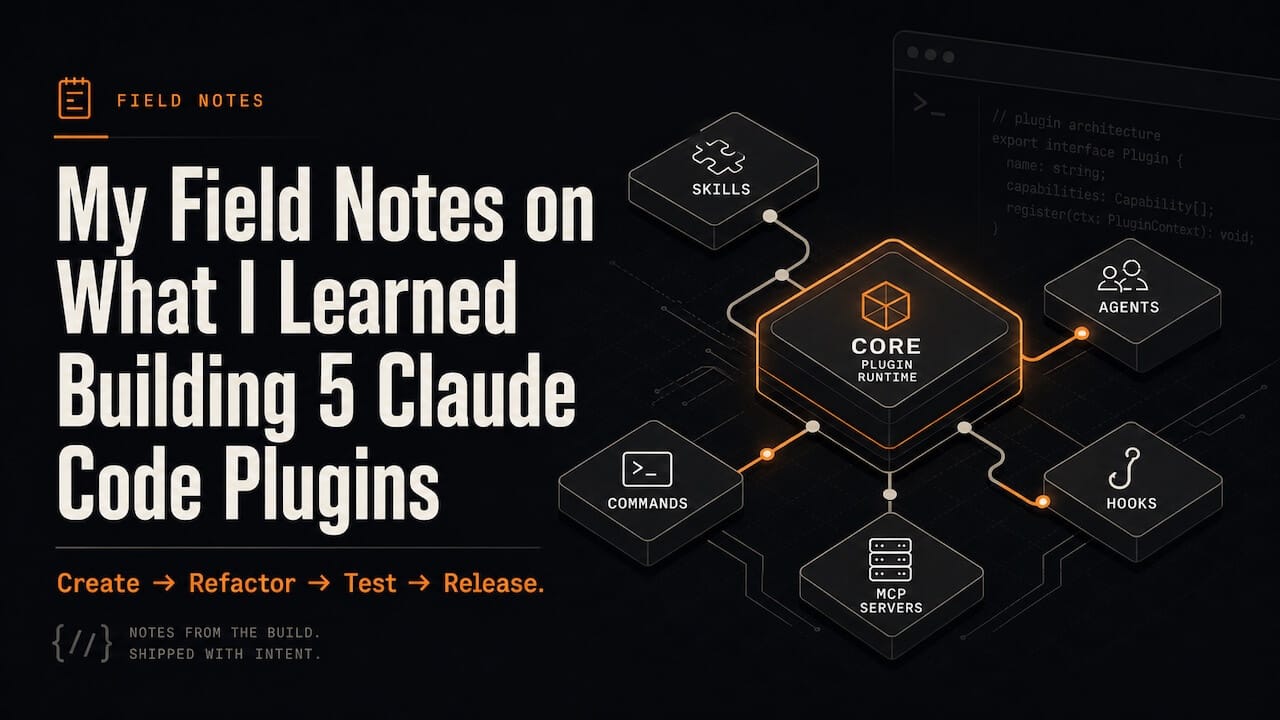
Create → Refactor → Test → Release
When I read dozens of plugin guides, I found them explaining the spec. So, I thought of publishing mine which explains what actually breaks the plugin development process and how to get it done better.
It's drawn from shipping four plugins I have developed in the past 6 month: Lumen (AI Product OS, 18 agents, 6 workflows, v2.2 on GitHub and claudemarketplaces.com), LegalAnt (18-agent system for Indian legal work), Sutra, and the OpenClaw-based Tejas that runs my day-to-day work.
I thought of writing this field note to multi-agent Claude Plugin Development facing and fixing cross-workflow & prompt drift, collective breakdowns from reasonable agents, silent decay, cost/latency/permission/context issues, state bleed, accountability, eval scaling, degradation, audit tradeoffs, prompt injection, handoff/memory failures, orchestration bottlenecks.
This field note is organized based on the bugs that actually show up, the order I now do things in, and the moves that turn plugin work from a swamp into a process. Not what the docs say. What works.
Part 0: How I Think About Plugins Now
A Claude Plugin is a versioned bundle of agentic capability.
That single framing changes everything. Instead of treating plugins as disposable snippets of code I copy-paste between projects like old dotfiles, I now build them like real products: with semantic versioning, clear user personas, documented interfaces, and a deliberate release process.
The shift is mental before it is technical. Once I adopted this mindset, almost every category of bug drifts, breaking changes, silent incompatibilities, and untraceable failures—became preventable by design.
A plugin can ship five kinds of components, in any combination:
I think about the lifecycle in four phases. Each demands a different mindset. Conflating them is what produced my worst bugs.
Where bugs actually come from
After four plugins, I can name the failure category before I open the file. Three buckets account for almost everything:
Before I open any file, I name the bucket. Thirty minutes a session, every session.
Part 1: The Anatomy of Claude Plugin
Skip this part if you've shipped a plugin before. I keep coming back to it because the schema fields drift between Claude Code versions and I always miss one.
1.1 Canonical directory layout
my-plugin/
├── .claude-plugin/
│   ├── plugin.json
│   └── marketplace.json
├── skills/
│   └── my-skill/
│       ├── SKILL.md
│       ├── references/
│       ├── examples/
│       └── scripts/
├── agents/
│   └── specialist.md
├── commands/
│   └── my-command.md
├── hooks/
│   ├── hooks.json
│   └── scripts/
│       └── my-hook.sh
├── .mcp.json
├── .lsp.json
└── README.md
The rule that costs me time when I forget: components live at the plugin root. Only plugin.json and marketplace.json belong in .claude-plugin/.
The first time I built Lumen, I tucked agents/ inside .claude-plugin/ because I was trying to keep it tidy, but nothing loaded, no error showed up, and no log. Just silence in /context. That's the single most common discovery bug I see in other people's plugins now too. The first thing I check when I'm helping someone debug.
Let me show you how I do it, now.
1.2 plugin.json schema
{
  "name": "my-plugin",
  "version": "1.2.3",
  "description": "What this plugin does in one sentence.",
  "author": {
    "name": "Your Name",
    "email": "you@example.com",
    "url": "https://yoursite.com"
  },
  "repository": "https://github.com/you/my-plugin",
  "keywords": ["automation", "review"],
  "license": "MIT",
  "components": {
    "commands": ["commands/"],
    "agents": ["agents/"],
    "skills": ["skills/"],
    "hooks": ["hooks/"],
    "mcpServers": [".mcp.json"]
  }
}
The manifest is technically optional, but Claude Code auto-discovers from default paths. Always include one anyway. The first plugin I shipped without a manifest got registered under my dev folder's directory name. Ten minutes of "why isn't /plugin install lumen working" before I caught it.
version follows SemVer: MAJOR.MINOR.PATCH (1 = breaking, 2 = additive, 3 = fixes). What counts as breaking is the one thing I still occasionally get wrong — full table in Part 5.
1.3 Hook event reference
Hook events have three cadences. Getting the cadence wrong is my #2 source of "my hook never runs" after misspelling the event name. I keep this table open while writing hooks:
The deprecation that bit me: PreToolUse now uses hookSpecificOutput.permissionDecision with allow / deny / ask. The old top-level decision: "approve" / "block" is deprecated for that event specifically — but other events (PostToolUse, Stop) still use the top-level decision: "block" form. My hooks ran fine for months, then silently stopped enforcing after a version bump. Use the new format everywhere PreToolUse is involved.
1.4 Hook handler types
1.5 Agent frontmatter
name: agent-name
description: Specialty + when Claude should invoke it
model: sonnet
effort: medium
maxTurns: 20
tools: [Read, Grep, Glob, Bash]
disallowedTools: [Write, Edit]
isolation: worktree
System prompt describing the agent's role, expertise, and behaviour.
Plugin agents support: name, description, model, effort, maxTurns, tools, disallowedTools, skills, memory, background, isolation. Only valid isolation value is "worktree".
The trap I fell into with Lumen: plugin-shipped agents cannot declare hooks, mcpServers, or permissionMode. They worked fine in my local dev (because user-level settings filled the gaps) and silently broke after publish. Failure mode is invisible until a user files an issue. Need those? Configure at the project level via .claude/settings.json. Not inside the plugin.
1.6 Environment variables that matter
Reference scripts as ${CLAUDE_PLUGIN_ROOT}/scripts/foo.sh. Never relative paths from cwd. Plugins get copied to a cache location on install — anything with .. or ./ breaks the moment a user installs it.
LegalAnt taught me this. Worked perfectly on my machine, broke on every install. The diff was a few characters: ./scripts/ vs ${CLAUDE_PLUGIN_ROOT}/scripts/.
Part 2: CREATE A CLAUDE CODE PLUGIN
2.1 Decide whether you actually need a plugin
Before writing any code:
A plugin is overhead if you're shipping a single skill. I learnt it when I made this mistake with my early marketing-research skill. I bundled one skill as a plugin and the manifest, marketplace, README, and version maintenance ate my three hours that should have been zero. Now that skill lives as a standalone SKILL.md on GitHub and gets imported wherever I need it. Cleaner, simpler, no version drift.
2.2 Scaffold
Option A: Anthropic's plugin-dev toolkit (what I use now):
# In Claude Code:
/plugin marketplace add anthropics/claude-code
/plugin install plugin-dev@claude-code
/plugin-dev:create-plugin my-plugin
Runs an 8-phase guided workflow with agent-creator, plugin-validator, and skill-reviewer. Enforces correct structure and writes a passing manifest from the start. If this had existed when I built Lumen v1, I'd have saved a week of structural fixes.
Option B: Manual scaffold (when I want full control or I'm bootstrapping somewhere weird, like Tejas on a remote Ubuntu box):
mkdir -p my-plugin/.claude-plugin
mkdir -p my-plugin/{commands,agents,skills,hooks/scripts}
cd my-plugin
cat > .claude-plugin/plugin.json <<'EOF'
{
  "name": "my-plugin",
  "version": "0.1.0",
  "description": "TODO: one-line description",
  "components": {
    "skills": ["skills/"],
    "agents": ["agents/"],
    "hooks": ["hooks/"]
  }
}
EOF
git init && git add . && git commit -m "scaffold"
2.3 Local-load while building
Two ways I test without publishing:
# CLI flag (per-session)
claude --plugin-dir ./my-plugin --debug
# OR via project settings
# .claude/settings.json
{
  "plugins": [
    { "type": "local", "path": "./my-plugin" }
  ]
}
--debug prints plugin loading, MCP/LSP startup, and hook execution.
I run with this flag every single time during creation. Catches 80% of structure bugs in the first 30 seconds. The other 20% become visible the moment you try to use a component. The two minutes of extra log noise is the cheapest insurance you'll find.
When the plugin loads correctly, it shows up in Claude Code's init message. If it doesn't appear, it's almost always one of three things: bad path, invalid JSON, unreadable permissions. Those three account for nearly every "plugin not found" report I've seen.
2.4 Build components in the right order
After enough painful out-of-order attempts, this is the order I build now:
- Manifest: minimal plugin.json that loads.
- One skill: proves the skills/ dir is wired.
- One command (only if you actually need slash commands).
- Agents: only after skills work. Agents can reference skills.
- Hooks: last among components. Highest-failure component, by far.
- MCP / LSP: wire after hooks pass. They have their own startup logs.
After each step: load, run a dry invocation, confirm it appears once in /context. Three seconds of validation prevents an hour of layered debugging.
When I rebuilt Lumen for v2.0, I tried to scaffold all 18 agents and 6 workflows in one pass. Three days of debugging later I started over, building one agent at a time and testing after each. Took two days total. Incremental loading is faster than parallel loading even though it never feels that way.
2.5 ${CLAUDE_PLUGIN_ROOT} discipline
Three rules I treat as non-negotiable:
- All script references in hooks/hooks.json use ${CLAUDE_PLUGIN_ROOT}/scripts/foo.sh.
- All cross-component file references use ${CLAUDE_PLUGIN_ROOT}/skills/x/....
- Never .., never absolute home dirs, anywhere in the plugin.
Use symlinks at install time to share files across plugins instead of using relative paths because anything outside the directory becomes unreachable as plugin installation copies the directory to a cache location.
Part 3: REFACTOR PLUGIN
This is the workflow when I inherit a plugin or come back to one of my own from three months ago and it's misbehaving. The discipline is three planned waves with explicit stop conditions, executed inside Plan Mode.
I developed this exact sequence debugging Sutra. The first time, I tried to fix things as I found them. Six hours and 40 commits later, the plugin was worse than when I started. The waves below are what worked the second time around. They've worked on every plugin debug since.
3.1 Environment hygiene
The most embarrassing failure mode: debugging a plugin while three other plugins are corrupting your context. Five minutes of hygiene prevents an hour of confusion.
1. Run with explicit plugin dir + debug
claude --plugin-dir ./your-plugin --debug2. In Claude Code, audit context
/context
/plugin marketplace list
/plugin
3. Disable plugins you aren't testing
# Edit ~/.claude/settings.json — flip enabledPlugins entries to false
When I was hardening Lumen for the v2.2 release, /context showed several skills duplicated. I'd installed Lumen from the local marketplace and forgotten an older copy was still installed from GitHub. They were shadowing each other and producing genuinely confusing behaviour — agents picking the wrong skill version, intermittently. Twenty minutes of pure hygiene cleared it.
3.2 Plan Mode audit
Enter Plan Mode (Shift+Tab or /plan). It's a hard earned fact that the vague prompt produces vague audits. The exact wording of the audit prompt matters more than people think:
/plan You are auditing an already-developed Claude Code plugin repository (Sutra) that has real bugs.

Goal:
- Map the full plugin structure.
- Identify all likely bug sources.
- Propose repair waves grouped by root cause.

Scope you MUST inspect:
- .claude-plugin/plugin.json
- agents/
- skills/
- commands/
- hooks/hooks.json and hook scripts
- settings.json
- .mcp.json
- .lsp.json
- monitors/
- scripts/bin/
- any docs that affect runtime, install, or debugging

Look for:
- Invalid JSON/frontmatter (trailing commas, missing fields, etc.).
- Wrong plugin root layout (components misplaced inside .claude-plugin/).
- Discovery/registration issues (agents/skills/commands/hooks not showing up).
- Hook event/matcher/config problems.
- Path handling and ${CLAUDE_PLUGIN_ROOT} misuse.
- Settings pointing at missing agents or skills.
- Stale references after renames or moves.
- Repeated code paths that fail under common use.

Output:
1) Repo map (what components exist and where).
2) Root-cause clusters (not just individual errors).
3) Proposed change sets grouped by root cause.
4) Validation plan per change set.

Do not edit files yet.
3.3 Edit the plan before executing
Highest-leverage move in the entire workflow. Skip it and the model overreaches every time. Use Plan Mode's plan editor (Ctrl+G) to add explicit guardrails:
- Wave 1 MUST NOT change product behavior beyond fixing load/discovery/path issues.
- Wave 2 MUST NOT refactor architecture; only fix proven runtime bugs.
- Wave 3 MUST add tests or validation for the Wave 1 & 2 fixes.
- Every wave MUST list the files it expects to change.
I've watched this exact prompt prevent eight or nine "while I was in there I also refactored…" detours. The model wants to be helpful by going further. Your job is to keep it on rails.
3.4 Wave 1: Structure & Discovery
Goal: plugin loads cleanly. Every component appears in /context exactly once.
Implement Wave 1 exactly as planned.

Rules:

- Fix all blocking load/discovery/path issues in this wave.

- Do not start Wave 2 yet.

- Group changes by root cause.

- For each change set, summarize:

  - issue cluster

  - files changed

  - exact fix

  - expected impact
Validate:
/reload-plugins
/context           # verify no duplicate listings
/plugin            # verify plugin appears with correct metadata
If validation fails, stay in Wave 1. Don't advance with broken structure — every Wave 2 fix on top of broken Wave 1 is wasted work.
LegalAnt taught me this. I rushed past a discovery bug because the plugin "mostly loaded." Wave 2 took twice as long because I kept hitting downstream effects of the structural issue I'd skipped.
3.5 Wave 2: Runtime Behaviour & Hooks
Goal: every component does the right thing when invoked.
What to focus on:
Skills auto-invoke on the trigger phrases their description claims.
Commands handle missing args without crashing.
Hooks fire on the right events with the right matchers.
Agents stay within their tools allowlist.
MCP / LSP servers actually start (check --debug output).
Now implement Wave 2.
Allowed:
- Refactor helpers when they cause repeated runtime failures.
- Centralise path / manifest resolution where duplication is fragile.
- Improve error messages and fallback behaviour.
Required:
- Preserve user-facing plugin behaviour.
- Explain each bug, root cause, and fix.
- If a fix needs to extend beyond Wave 2 scope, stop and re-plan.
The hardest Wave 2 work is hooks. They fail silently more often than any other component. Use --debug aggressively. Every hook should print at least its event name when it fires, even if the hook itself does nothing useful. If you can't see it fire, you can't debug it.
3.6 Wave 3: Tests & Hardening
Goal: every fix from Waves 1 and 2 has a test, validation script, or doc note that prevents regression.
Tests I prioritise, in order:
Implement Wave 3: tests and hardening.

Tasks:

- add or improve tests for the Wave 1 and Wave 2 fixes.

- add quick validation scripts where they will prevent regressions.

- adjust docs only where they affect runtime, install, or debugging.

Prioritize tests for:

- plugin loading and component discovery

- hook/command behavior

- critical agent workflows

- config parsing and error paths

Keep tests focused and avoid broad low-value checks.
Lumen and LegalAnt both keep a scripts/test.sh that runs /plugin marketplace add . && /plugin install <name>@local in a scratch directory, then exercises representative commands. Five minutes of setup. Saves hours per release.
3.7 Subagent toolkit
For long-lived plugins I keep project-level subagents in .claude/agents/:
Anthropic's official plugin-dev plugin already ships agent-creator, plugin-validator, and skill-reviewer. Install it before writing your own. I rebuilt half of these from scratch before realising the official ones existed and were better.
Part 4: TEST PLUGIN
4.1 The local marketplace test loop
The most reliable pre-release test I have. Catches install-time bugs that --plugin-dir hides — and --plugin-dir hides a lot of them, because it skips the install pipeline real users go through.
1. Make your repo a marketplace by adding marketplace.json
mkdir -p .claude-plugin
cat > .claude-plugin/marketplace.json <<'EOF'
{
  "name": "my-plugin-dev",
  "owner": { "name": "You", "email": "you@example.com" },
  "plugins": [
    { "name": "my-plugin", "source": "." }
  ]
}
EOF
2. In Claude Code:
/plugin marketplace add /absolute/path/to/your/plugin
/plugin install my-plugin@my-plugin-dev
3. Smoke test
# Run each command, trigger each skill, exercise each hook.4. Iterate
/plugin uninstall my-plugin@my-plugin-dev
# edit code
/plugin install my-plugin@my-plugin-dev
This loop simulates exactly what users see. First time I ran it on Lumen, I caught three bugs that had been invisible in --plugin-dir for weeks — all path-related, all because install copies the plugin to a cache and breaks any .. references.
4.2 Manual pre-release checklist
I run this before every version bump. Looks paranoid. Is paranoid. Catches something almost every release.
4.3 Failure signatures I see most often
4.4 Use Anthropic's plugin-validator agent
The plugin-dev plugin ships a validator that catches structural bugs before users do. I run it as the absolute last step before every release:
Use the plugin-validator subagent to perform a final readiness check on this plugin.
Cover: manifest schema, layout, discovery, paths, hook config, agent isolation, MCP/LSP setup.
Block release on any blocker-severity finding.
If plugin-validator says hold, I hold. It's caught me twice when I was sure I was clean.
Part 5: RELEASE
5.1 SemVer applied to plugins
Made this table for myself after botching Lumen's v1 → v2 jump. Bumped MINOR for what should have been MAJOR. A handful of users had broken hook configurations the next morning:
Tag every release in git: git tag v1.2.3 && git push --tags. Marketplaces use this for version pinning.
5.2 Marketplace structure
A marketplace is a repo with .claude-plugin/marketplace.json listing one or more plugins. Plugins can live in the same repo, in subdirectories, or referenced from elsewhere. I shipped Lumen as a marketplace plugin in the same repo whereas LegalAnt was shipped as a standalone plugin.
{
  "name": "my-marketplace",
  "owner": {
    "name": "Your Org",
    "email": "team@yourorg.com",
    "url": "https://yourorg.com"
  },
  "metadata": {
    "description": "Curated plugins for our team",
    "version": "1.0.0"
  },
  "plugins": [
    {
      "name": "my-plugin",
      "source": ".",
      "description": "Auto-deploy helper",
      "version": "1.0.0",
      "category": "deployment",
      "keywords": ["ci", "deploy"]
    },
    {
      "name": "external-plugin",
      "source": { "source": "github", "repo": "other-org/their-plugin" }
    }
  ]
}
5.3 Source types
5.4 The strict flag
If you see Plugin has conflicting manifests, you have both a plugin.json and a marketplace entry defining components. Pick one source of truth. I default to strict: true and let the plugin's own manifest be authoritative and keeps the plugin working outside my marketplace too.
5.5 Team distribution via auto-install
I ship .claude/settings.json so people can pre-install marketplaces and plugins:
{
  "extraKnownMarketplaces": {
    "team-tools": {
      "source": { "source": "github", "repo": "your-org/claude-plugins" }
    }
  },
  "enabledPlugins": {
    "my-plugin@team-tools": true
  }
}
Once a team member trusts the repo, Claude Code auto-installs the marketplace and listed plugins. This is how Tejas pre-loads my development plugins and my full toolkit goes live on a fresh box within ten minutes of a clean install.
For CI / containers, pre-populate plugins at build time and set CLAUDE_CODE_PLUGIN_SEED_DIR so Claude Code starts with everything cached.
For locked-down enterprise setups, admins can set strictKnownMarketplaces in managed settings to restrict which marketplaces users can add.
5.6 Publishing checklist
Before I push a release tag:
- version in plugin.json and marketplace entry match
- CHANGELOG entry written for this version
- README install command updated
- All Part 4.2 checks pass
- Local marketplace test loop completed cleanly
- plugin-validator agent reports no blockers
- LICENSE file present
- Repo is public (or your team marketplace is reachable)
- Smoke-test install from the published source on a clean machine
Last time I skipped the clean machine smoke test when I was in a hurry, and it bitten me. For Lumen v2.2 I spun up a fresh container, installed Claude Code, ran /plugin install lumen@claudemarketplaces. All hassles because one missing dependency I'd forgotten on my dev box.
5.7 Submission to Anthropic's official directory
Third-party plugins can be submitted to claude-plugins-official for inclusion in the curated directory. Quality and security standards apply. Submit via Anthropic's plugin directory form, linked from the official repo. Approval takes weeks and isn't guaranteed — keep your own marketplace running in parallel. Don't make submission your distribution strategy. I list Lumen on claudemarketplaces.com first, official directory second.
Part 6: Cross-Cutting Disciplines
6.1 Goal–Context–Constraints–Output prompting
For any non-trivial plugin operation (audit, fix, test design), I structure prompts this way:
Goal: [what you want]
Context: [repo, plugin, known issues]
Constraints: [must do / must not do]
Output: [exact format]
The Output spec is the part most people skip and the part with the highest leverage. Without it, the model drifts into rewrites every time. With it, you get a tractable response every time. I won't send a debug prompt without an explicit Output section anymore.
6.2 Error-driven prompts
When debugging, paste the actual error instead of paraphrasing logs:
Here is the exact output when running the plugin:
<paste full --debug output>
Use this to:
1. Re-rank the root-cause clusters from your audit.
2. Identify which Wave should fix this.
3. Propose the next single fix with file path and exact edit.
The "next single fix" framing matters. Without it, the model proposes seven changes and you can't tell which one fixed things when the error goes away.
6.3 Self-critique prompts
After any non-trivial change, I ask the model to be its own reviewer:
Critique the changes you just made as a strict plugin reviewer.
Check:
- Correctness in edge cases
- Security implications (especially tool allowlists)
- Performance (especially hook latency)
- Alignment with existing patterns in this plugin
- Design smells suggesting a deeper bug
- End with: ship / hold / re-plan.
The "end with: ship / hold / re-plan" forces a concrete recommendation. Without it you get a hedge-everything review that's useless for decisions.
6.4 Subagent design rules
When I build subagents into a plugin (Lumen has 18, LegalAnt has 18), these rules keep them composable:
The "one job per agent" rule is the one I violate most often, and the one that hurts most when I do. Lumen v1 had a "review-and-fix" agent that did both review and fix. Half my bugs traced to it, deciding to fix things I only wanted reviewed. v2 split it into two agents and the bug class disappeared.
6.5 Hooks for plugin authors during development
Hooks aren't only for what your plugin ships, rather they're exceptionally useful while building a plugin. Three patterns I run in every plugin repo:
- PostToolUse on Edit|Write in the plugin repo → auto-format and lint after every Claude edit. No more inconsistent style at commit time.
- Stop agent hook that runs /plugin marketplace add . && /plugin install <name>@local and reports failures → catches structural bugs before commit.
- PreToolUse on Bash that blocks rm -rf against the plugin's .claude-plugin/ dir → stops the one accident I almost had with Sutra.
These live in the plugin repo's own .claude/settings.json, separate from anything the plugin ships to users.
Part 7: Pre-Release Final Checklist
Single-page version of Parts 4 and 5. I print this and tape it next to my monitor for every release.
Slower than vibing your way through changes. Also the only thing that allowed me to ship four plugins and then fixing issues based on customer feedback.
This field note is based on my experience of building Lumen, LegalAnt, Sutra, and Tejas. If something here is wrong, it's because the spec moved. Let me know if you have discovered a better way. It will help us become better together.