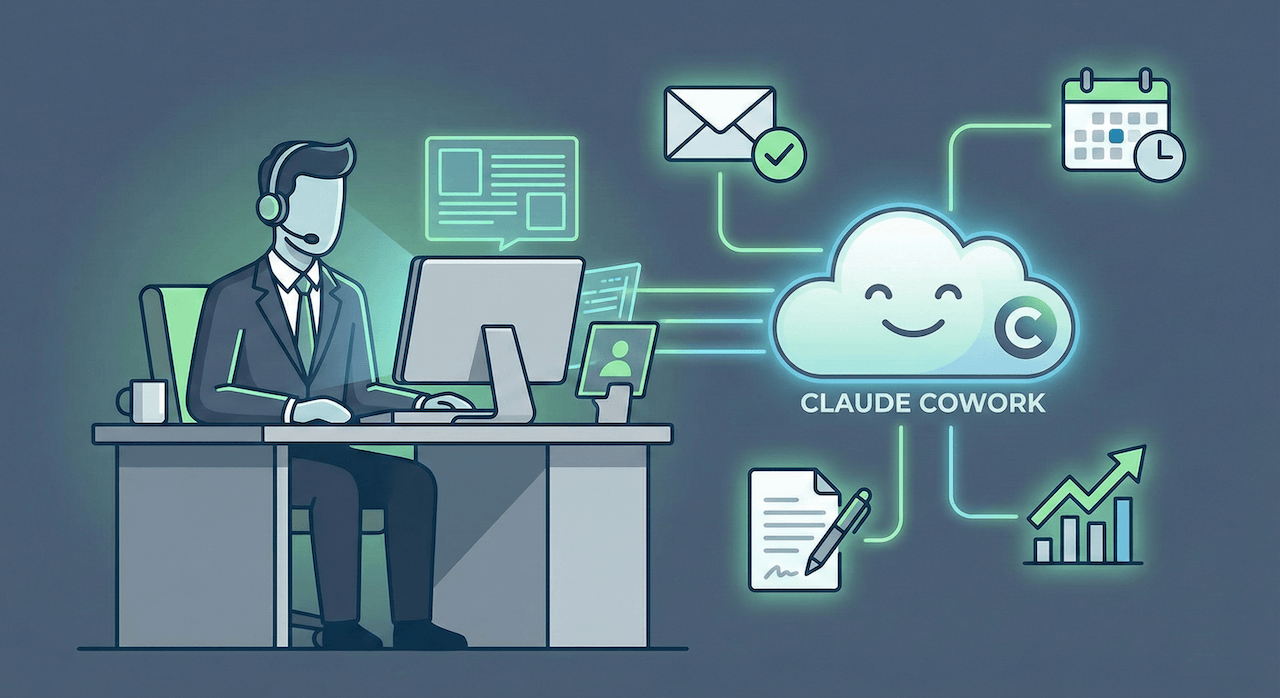
Anthropic announced Claude Cowork a GUI alternative to Claude Code which sounded a bit overwhelming to non-technical people.
Because people are already hooked by the power of Claude Code, the Claude Cowork became popular instantly. And honestly? It's actually worth paying attention to.
They did something smarter: they removed the one thing keeping most people from using agentic AI.
The terminal.
So today, I want to break down:
- What Claude Cowork actually is (and isn't)
- The real-world results people are getting
- Why this matters more than you think
- What to watch out for
What is Claude Cowork?
In short, Claude Cowork is Claude Code for everyone else.
If you've been following along, you know Claude Code is an agentic system that runs in your terminal. It's powerful -- I use it daily -- but let's be real: most people don't want to touch a terminal. It's intimidating. Just a black screen with text, no undo button, and you need to be comfortable with command-line stuff.
For developers like me (I've been working in terminals for 30+ years, going all the way back to DOS), that's second nature. For everyone else? Not so much.
Anthropic wrapped up the kernel of Claude Code and exposed it through a new feature inside the Claude Desktop app (Mac only for now). Same power, friendly chat interface minus terminal anxiety.
Here's how it works (it's simple):
- You write a prompt
- Point it at a folder on your computer
- Claude can read, edit, or create files in that folder according to your task
The key difference from regular Claude conversations is agency. Claude doesn't just suggest what to do -- it makes a plan and actually does the work for you.
You can queue up multiple tasks, and Claude works through them while you step away -- maybe get a coffee or take a nap. Then it loops you in on progress and asks before taking significant actions.
It's less like chatting with AI and more like delegating to someone who works independently.
By the way, the team at Anthropic mentioned that Claude Code actually developed Cowork in about 1.5 weeks. Yes, that's AI building AI. What a time to be alive.
Here's what people are actually doing with Cowork, not hypotheticals:
Lenny Rachitsky (podcast host):
- Task: Extract insights from 320 podcast transcripts
- Time: 15 minutes (would've taken weeks manually)
- Output: 10 major themes + 10 counterintuitive truths for product builders
- Time saved: 99%
Educator on Reddit:
- Task: Build 12-week curriculum with lesson plans and Excel tracking
- Time: 1 hour (used to take an entire semester to develop)
- Time saved: 90%+
Expense Reports:
- Task: Process 50+ receipt screenshots into formatted Excel
- Time: 20 minutes (was 3 hours of manual work)
- Time saved: 85%
Simon Willison (developer):
- Task: Evaluate 46 blog draft files
- Time: 20 minutes (was 2-3 hours)
- Time saved: 85%
These aren't edge cases. This is what happens when you remove the friction between "I need this done" and "it's done."
How People Are Actually Using It
Let me break down the use cases that are working right now:
Research Synthesis at Scale
This is where Cowork shines. Give it a folder of transcripts, interviews, research papers, meeting notes -- whatever. Ask it to find patterns, extract themes, generate insights.
That podcast example I mentioned? 320 episodes analyzed in 15 minutes. That's not just faster than doing it manually -- it's possible when it wasn't before.
Batch File Organization
Remember that Downloads folder you've been meaning to clean up for months? Point Cowork at it.
"Organize by file type, create subfolders, rename consistently using YYYY-MM-DD pattern. Don't delete anything." Done.
People are organizing decades of legal documents, project files, photo collections. One lawyer on Reddit is now using it for curriculum development and calling himself a "vibe coder."
Expense Management
This one's straightforward but high-value. Dump your receipt screenshots in a folder. Tell Cowork to extract dates, vendors, amounts, categories. Get back a properly formatted Excel with formulas and totals.
Some people are even having it auto-email the finished report to their finance team.
Content and Strategy Work
Marketing teams are using it to:
- Generate Q1 content strategies from past campaigns
- Create promotional content with brand context
- Research and synthesize competitive analysis
- Build SEO-optimized content 40% faster (according to Reddit users)
The workflow: Upload brand guidelines, competitor research, past campaigns. Ask for comprehensive strategy + ready-to-post content. Get it.
Curriculum Development
This one surprised me. Educators are uploading learning outcomes, course requirements, teaching constraints. Cowork builds week-by-week lesson plans, generates Excel tracking sheets, maps learning standards.
What used to take a semester to develop now takes an hour.
What Makes This Different
For me personally, because I am comfortable in the terminal and leant to use Claude code, Cowork doesn't change much.
But I do think Cowork is going to be really useful for everyone else – giving them a glimpse of what agentic AI actually feels like.
The Claude Code terminal was keeping powerful capabilities locked behind a barrier most people wouldn't cross. Anthropic built Claude Cowork so powerful that same power is now available to everyone with the interface. No command-line anxiety.
It's actually a smart move. Even the best tool in the world is a fail if people don't use it.
Things You Need to Know
Let's be honest about what you're getting into:
It's a Research Preview
That means:
- Mac only right now (Windows coming)
- Claude Max subscribers only ($100-$200/month)
- You'll hit usage caps faster than regular chat
- Things will change
The Token Consumption is Real
Complex tasks burn through tokens fast. People are describing it as "tokens being fed into a woodchipper."
Use it for the right things -- batch work that saves you hours. Don't use it for simple stuff you'd normally do in chat.
File Access Means Real Risk
Claude can delete files if you tell it to. Even accidentally.
One person reported their test folder getting wiped (11GB gone). They accepted the risk, but still.
Here's what you need to do:
- Start with non-sensitive folders
- Test on files you can afford to lose
- Set up git tracking or backups
- Give very clear instructions about what NOT to do
- Review Claude's plan before letting it execute
Prompt Injection is a Thing
If Claude reads web content with hidden malicious instructions, it could follow them instead of yours.
This is an industry-wide unsolved problem. Anthropic's being honest about it, which I appreciate.
Mitigation: Limit Claude to trusted websites. Monitor what it's doing.
Be Specific
This isn't like chat where vague prompts just mean less helpful answers. Here, vague prompts can mean unintended actions.
Bad: "Clean up my Downloads folder" Good: "Organize my Downloads folder by file type. Create subfolders. Move files to appropriate folders. DO NOT delete anything. Show me your plan first."
See the difference?
Where This Goes Next
Here's what I'm excited about:
Anthropic's working on cross-device sync, Windows support, project integration, session memory, expanded integrations.
But the bigger thing is what happens when people who've never touched a terminal get access to agentic AI.
What will they build? What workflows will emerge that developers never thought of?
I'm curious to see what people, especially non-developers, do with Cowork now that the terminal isn't in the way.
And there are rumors that a new version of Sonnet is coming soon. Better reasoning, better tool calling, lower latency, maybe even some form of memory.
For those of us building agents, that could be huge.
Should You Use It?
If you're already comfortable with Claude Code and the terminal, Cowork probably won't change your life.
But if you've been sitting on the sidelines watching developers automate everything while you manually process receipts, organize files, and synthesize research?
This is your moment.
Just start small. Give it a non-critical folder. Test it on work you can afford to mess up. Watch what it does. Then scale from there.
The technology isn't breakthrough new. But removing the barrier? That might be.
Quick Start Checklist
Before you dive in:
✓ Familiarize yourself with the safety guidelines at support.claude.com
✓ Set up backups of important files and folders
✓ Start with a test folder you don't care about. You can duplicate an exiting folder and run your experiments there
✓ Review plans before approving execution
✓ Give clear, specific instructions
✓ Monitor the first few tasks to understand behavior
Then just point it at real work and see what happens.